
PorchLight
Turn a song into a music video.
Paste your lyrics, upload the song, drop in a few photos. Joe — PorchLight's creative director — figures out what the song actually means, decides how to shoot it, plans every shot, and cuts a preview video you can watch, download, or hand to an editor to finish.
"One artist. One room. One instrument. The symbolic inserts aren't illustrations — they're evidence someone was here and their practice remains. Edit is slow. Crossfades only. No hard cuts. Let the song breathe."
A recreation of a real Producer Joe plan, from actual PorchLight output — not a mockup of an imagined feature.
What Joe actually does
Interpretation
Joe reads your lyrics the way a real director would — past the literal words, to what the song is actually about. Themes, symbols, what's metaphor versus literal, what would misread the song entirely.
Producer
Joe decides the visual strategy: performance, symbolic, or cinematic. How many images you actually need, and what can be reused. Critic Joe reviews the plan against a few honest questions before you ever see it.
Motion
The plan becomes a real shot list — pose, camera move, transition, and which lyric each shot covers. Restraint by default: the camera earns every move it makes.
Render
Everything assembles into one real preview video — crossfades, subtitles, your actual audio — playable right in the browser, no editing software required.
Where this actually stands
PorchLight is in private beta with a small group of musicians. There's no public signup — if you have an invite, head to the Beta Portal to get started.
This is a real beta, not a finished product: expect rough edges, and expect them to get fixed fast. If you're one of the invited testers, the Beta Portal has everything you need — what to expect, current limitations, and how to send feedback that actually gets read.
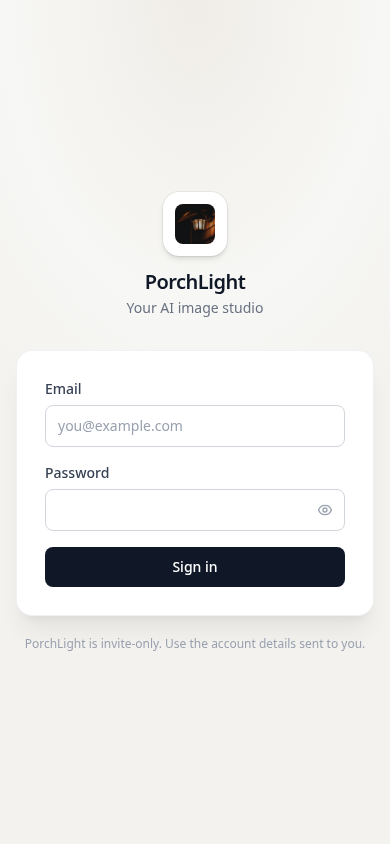
This is the real thing
The sign-in screen shown here is the actual, current PorchLight — invite-only, no account data visible. If you've got an invite, this is exactly what you'll see first.
Curious about the other tools in progress? Explore the other apps →
Back to MudmanTim's Apps